How To Dump Memory Packs
Published on 2026-08-25
Back in the day, dumping Memory Packs was a huge mess that required mostly unique pieces of hardware and hacky ways to dump them. But lately more ways have been done to facilitate the dumping to everybody. So I figured I should write about it and give you ways to do it.
Warnings
I suggest to NOT check the Memory Pack on BS-X or anything else to begin with and go straight to dumping. Maybe wait for an hour after shipping to let the physical item cool down a bit, try to avoid having static electricity, and maybe insert and eject it several times to get rid of potential dust.
Dump them several times, using different cartridges with Memory Pack slots if possible, make sure to check how everything is connected, keep them steady.
Check the checksum, if applicable, but mind that it’s not always the way to check for a good dump.
No matter what Memory Pack you have, if BS-X says it has nothing… Don’t trust it. Most of the dumps that we got were actually invisible to the BS-X. There are many reasons: Soundlink games were limited for one play, games with limited starts, and it ran out of plays, or it could just be that the game was deleted with BS-X.
Don’t worry, if you accidentally deleted the game on BS-X (DO NOT USE the second option in the menu), you can still recover it easily. However if you deleted a game using the other games that can use Memory Packs, it’s pretty much gone forever.
The true way as a result to know what your Memory Pack contains is to dump the contents into a file and manually check it with a hex viewer.
Also, this needs to be said, but I am available to talk about Satellaview Dumping, I can also check the dumps for you and everything.
1. Super UFO Pro 8
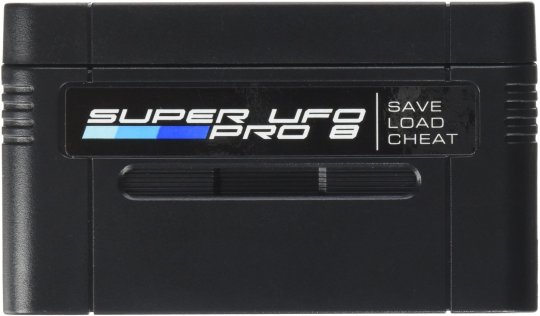
Lately, one cartridge has gotten a good reputation, that’s the Super UFO Pro 8. You could save your ROM and save data on your SD card and play them, which made a cheap & easy choice to have your games dumped.
While it does not have an obvious way to dump Satellaview Memory Packs, it is actually possible to do it.
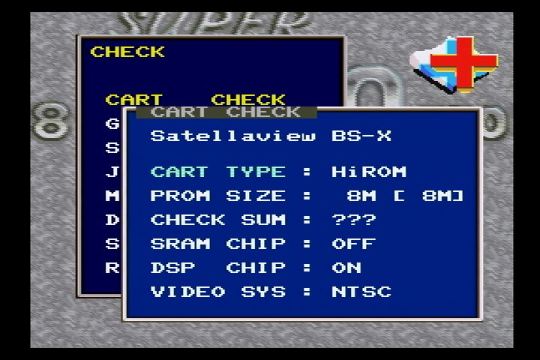
- First, format a SD card with FAT32 file system, and insert it into the Super UFO Pro 8.
- Insert the Super UFO Pro 8, and a BS-X cartridge (only) with the Memory Pack inserted.
- Select the bottom middle icon with a red +. This is the Check menu.
- Then select “CART CHECK” and change the settings what is on the screenshot right below.
Be sure to set CART TYPE to HiROM and PROM SIZE to 8M. This is what allows to dump the Memory Pack. - Go back to the main menu, select the upper right icon: The Backup menu.
- Select “GAME CART to SDC”. This is where you backup the Memory Pack.
- Go to the directory to dump to, then press Start.
- You can name your file. NEVER USE LOWERCASE LETTERS.
X Button = Delete / B Button = Confirm / Y = Cancel. - Press Start to again to start the dump process and leave it running until it’s done.
- You can then turn off the console, and use the SD card on your computer.
Keep in mind that the Super UFO Pro 8 leaves a copier header in the file.
Thanks a lot to sanmaiwashi to have figured this out.
You can also have more information about the Super UFO Pro 8 with My Life In Gaming’s video:
https://www.youtube.com/watch?v=kRQAz7uOafk
2. Retrode
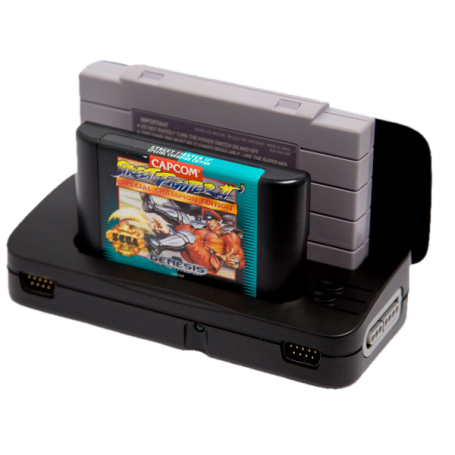
Another dumping device that got a reputation was the Retrode. You could plug it to the PC and play with your favorite emulator, even alongside your original controllers! While slightly higher priced than the Super UFO Pro 8, the project was also left in limbo for a while. Enter skaman. He got ahold of the source code of the Retrode and started to provide support for more types of SNES cartridges, including Memory Pack compatible cartridges.
The updated firmware can be downloaded here: http://www.retrode.org/firmware/
If you buy one now, the Retrode might already ready to go dump some Satellaview content out of the box. You can use any Memory Pack compatible cartridges (except Shigesato Itoi’s Bass Fishing No. 1 and SD Gundam G-NEXT) to dump your Memory Pack.
3. Arduino Cart Reader (Save The Hero Builder)
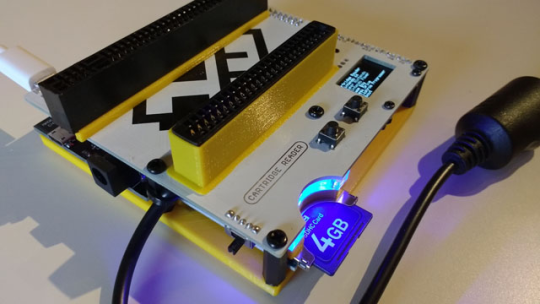
Well now here’s the actual dumping hardware that I trust more myself. This Arduino Cart Reader project is lead by sanni, and is fully open source. Which means you can easily modify it to dump Satellaview content, and heck, even more too.
The official Arduino Cart Reader firmware supports Satellaview Memory Pack dumping thanks to tamanegi_taro.
First of all make sure the BS-X cartridge is properly detected by selecting Super Nintendo, then Super Nintendo. If it is properly detected, then reset and use the Satellaview BS-X menu and follow the menu.
The main reason why we repeat this is to make sure the data can be read correctly.
The main thing is then getting the hardware, which there are several ways:
- Sanni (the creator) may make some batches himself and you might be able to buy one.
- Save The Hero Builders is a Tokyo-based team who provides services to build these devices for a price. This might be the most long term option accessible if you want to get one: https://savethehero.builders/
- Make one yourself by relying on the Wiki documentation.
Source Code and Wiki can be found here: https://github.com/sanni/cartreader
(Subject to change as a major firmware rework is being done.)
4. Super NT
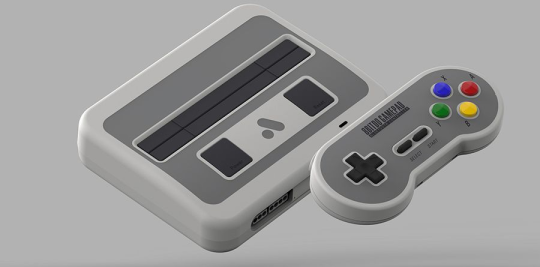
By using the jailbroken Super NT firmware from SmokeMonster, which is right here:
https://github.com/SmokeMonsterPacks/Super-NT-Jailbreak
It is possible to dump Memory Packs with the BS-X cartridge using the CopySNES functionality and edit some of the settings like this:
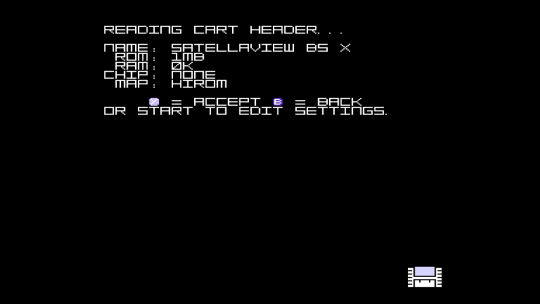
Set Map to HIROM, RAM to 0K, and ROM to 1MB.
Then name your file, and perform the dumping. It should be on the SD card.
Huge thanks to ozidual for figuring this out.
5. InfiniteNesLives Retro Programmer
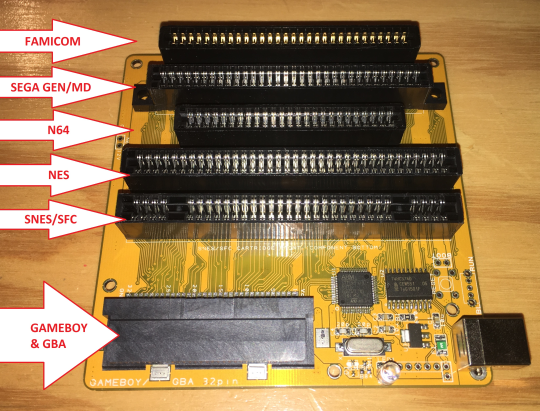
This very versatile programmer can also work as a dumper, and while it’s quite a bit on the manual side, there is a software that can easily dump your Memory Packs.
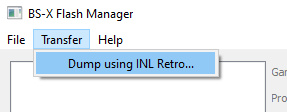
This software is called BS-X Flash Manager, by Revenant, it can dump using the INLretro if it’s connected, just use the Transfer menu. It can also manage dumps (but please, if there are errors, keep a backup of the untouched dump!)
You can find it here: https://github.com/devinacker/BSFlashManager/releases
6. RetroFreak
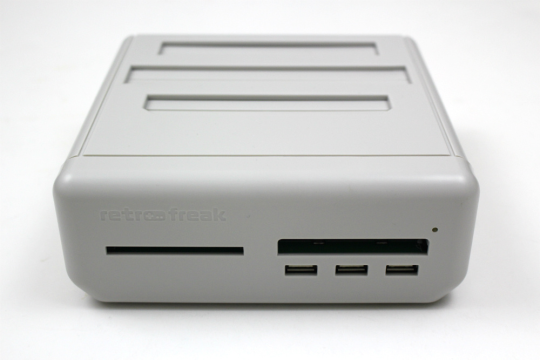
Apparently the RetroFreak can let you dump various things, including Satellaview Memory Packs through a japanese third party tool that can be found here:
https://nezuohashiter.x.fc2.com/retrofreakdumper/index.html (Down)
Since then, someone else seems to have reuploaded the tool:
https://yyoossk.blogspot.com/2023/05/pcretrofreakdumper.html
The link also includes instructions (in japanese) on how to use it.
Warning: Apparently BS-X dumping sometimes fails due to lack of voltage. Not impossible to do it however by experience.
(You cannot dump BS-X SRAM save data.)
I do not know how it fully works, so you’ll have to try at your own risk.